The command line is one of the most powerful tools you can learn as a developer, and this category is here to make it less intimidating. We start with the basics of navigating the filesystem, working with files and directories, and using essential commands like grep, find, sed, and awk to slice through logs and data. From there you will learn how to chain commands together, build simple shell scripts, and automate the repetitive tasks that slow you down.
You will also see real workflows from live servers, including how to monitor running processes, manage services, and safely edit configuration files from the terminal. Many examples tie into web development tools such as Git, Composer, WP CLI, and system package managers so you can run your whole stack with a few keystrokes. If you want to feel at home in the terminal instead of avoiding it, the CLI articles in this section will help you get there.
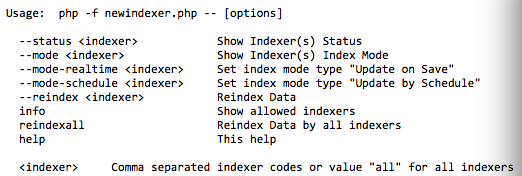
Reindexing Magento 2 Tables Using Shell In this tutorial, I will show you how easy it is to reindex Magento 2 using the command line. For the purposes of this tutorial, we will be reindexing Magento’s New Index Management tables. Let’s begin. Go ahead and SSH into the site where your Magento 2 installation resides.…
Sometimes you may need to extract or create an archive file on your Linux server. The very first step in the process would be to identify the exact archive type by looking at the file extension. The most common archive types are zip (ending with .zip), tar (.tar), Tar+Gunzip (.tar.gz), Bzip (.bz2) and Rar (.rar).…